• Skip to primary navigation
  • Skip to main content
  • Skip to primary sidebar
  • Money Management
    • Debt Reduction
    • Credit
    • Mortgages
    • Mutual Funds
    • Tax Strategies
    • Loans
  • Budgets
    • Saving Money
    • Income
  • Banking
    • Checking Accounts
    • Check Writing
    • Fraud
    • History
  • Entrepreneurs
    • Entrepreneur Interviews
    • Money Making Ideas
    • 3D Printing
  • Resources
  • Retirement
  • About
    • Privacy Policy

Personal Finance Blog

Tips And Stories To Help You With Managing Money

  • Privacy Policy
  • Saving Money In 2018
You are here: Home / Archives for Budgets / Saving Money

Saving Money

Amazon Home Services Marketplace

March 30, 2015 By Twila Van Leer

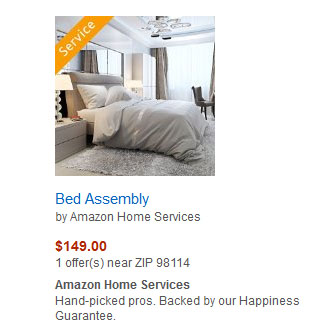
amazon-local-servicesAmazon has launched its Home Services (formerly Amazon Local Services). If you are looking for voice lessons, yoga classes, furniture assemble, mounting wall televisions, setting up baby gates, house keeping or even assembling those products you buy at Ikea, now you can order them directly on Amazon. You can list your services on Amazon if you are a service provider or you can look for services close to you. Using geo based technology, Amazon matches your queries with your zip code. How will this impact your lifestyle? Hopefully it will make it much easier for you to get help with simple to expert projects.

Amazon Home Services competes directly with Angie’s List and other online local services. The number of Amazon’s service categories and the number of cities in which they are offered are both ballooning. It will take some time for the public to get used to ordering local services this way and time for merchants to list their services on Amazon.

As of March 30, Amazon Home Services was available in Miami, San Francisco, New York, Houston, Seattle, Chicago, Washington D.C., Philadelphia, Boston, Dallas, Atlanta, Phoenix, San Diego, San Jose, Portland, Minneapolis, Detroit, Denver, Riverside, Tampa, Orlando, Austin, Sacramento, Pittsburgh, Nashville, Cincinnati, Charlotte and St. Louis. Other locations are being added regularly.

Quietly introduced in late 2014, the service initially featured service providers whose businesses could help Amazon shoppers with additional needs related to purchases, such as installers who could put up a new TV. The expanded program goes well beyond that concept.

Now the list includes such things as plumbers, home improvement sources, lawn and garden, auto mechanics, computer and electronics aids and yoga instructors. There is a “more” category for items that jibe with those listings. It includes such exotica as “goat grazing” and “singing performances.” The goal is to have a list for anything a customer is likely to need, including housecleaning and babysitting.

The introduction of the expanded service is a big step toward competing effectively in the on-demand economy. Amazon is partnering with some of the on-demand service startups, but not trying to replace them entirely. The approach is consistent with what Amazon has done with other initiatives, such as its online art store or the Amazon Sellers program. Experimentation has proved that the relationships can increase sales for small retailers of physical goods.

Amazon hand-picks the businesses it includes at its sites and ensures that they are licensed, insured and background-checked. The mega company had taken a 20 percent cut of services costing under $1,000 and 15 percent of those over that amount. But in conjunction with the new launch, service fees have been readjusted in three categories with varying fees. The company also has built in safeguards to assure the authenticity of user reviews and prevent spurious reviews by those who want to cause trouble for a competitor. Amazon shoppers buy services by putting them in an online cart so reviews can be authenticated.

The Amazon website says that prices quoted in the service are the same as those prospective customers would receive if they called the service provider direct. That answers some complaints from customers who sought services in the earlier phase of the program. Amazon also offers to match prices if the customer can find them cheaper elsewhere.

Filed Under: Business Development, Saving Money Tagged With: Amazon, business, entrepreneur, Local Services

5 Tips To Cut Housing Costs

February 23, 2015 By Twila Van Leer

Cut costs on your utility bills.

If you’re a typical family, you spend about 33 percent – about $17,000 per year – of your income on housing. That doesn’t mean just the mortgage or rent payment, but all of those related costs that are the natural result of living in a home.

Here are some tricks you can call on to reduce those costs.

1. Upgrade Your Appliances

It may make sense to you to stick with your old washer and dryer and the old standby refrigerator, but they might be costing you more in the end. Often, they were not energy-efficient in the first place and to continue using them is costing you money you could save by updating. The Department of Energy says some $47 billion is wasted on energy used by refrigerators produced more than 10 years ago. Investing in an Energy Star-rated appliance might save you from $35 to $300 over the lifetime of a large appliance.

2. Stop Keeping Up With Your Neighbors

Don’t add “frills” to your home that you don’t really need. So what if the Joneses next door throw in a swimming pool. Invest your money instead on an early pay-off of your home. Things such as swimming pools and Jacuzzis tend to lose their glamor over time.

3. Minimize Utility Usage

Be aware of heating and cooling costs and try to minimize. Put on a sweater when the weather begins to cool and keep the thermostat a couple of degrees low until you really need the heat. Use a ceiling fan and don’t kick in air conditioning until it is necessary. Get a programmable thermostat an set it to adjust the temperature in the house when you are away. Dropping the water temperature in the water heater a degree or two will save money without any significant dent in your comfort. You can save as much as 1 percent in your heating bill with each degree you drop the thermostat for eight hours of the day, usually when you are asleep or at work. Cover drafty spots, add weather stripping or insulation for further savings.

4. Monitor Water Usage

Monitor water use. Turn off the tap while you brush your teeth. Use cool or cold water if hot water is not essential. Clothing that is not heavily soiled will come as clean in cool or cold water. The difference could be as much as 56 cents per load of laundry. Having a full load of laundry or dirty dishes saves money.

5. Keep Up On Repairs

Make repairs as quickly as you notice there is a problem. Don’t ignore a leaky toilet or tap. Fix a small hole in a screen to prevent it getting larger. Postponing such repairs almost always costs money. Preventative maintenance, such as emptying the lint trap on the dryer, changing furnace filters and cleaning gutters routinely prevents problems. Make seasonal inspections of your home to see what is needed, than do it.

Putting aside approximately 1 percent of your home’s value toward maintenance and repair and maintaining that reserve is a good way to sidestep the wear and tear costs that are inevitable with home ownership. This is one area where the old “ounce of prevention” rule makes good common sense.

Filed Under: Saving Money Tagged With: Home Expenses, Saving Money

Coke Fans Now Pay More For Less

February 5, 2015 By Twila Van Leer

Smaller sized Coca Cola containers mean larger prices per ounce.
Amid growing health concerns about the effects of popular soda pops, many Americans are cutting back on the number of refreshing sips they allow themselves daily. And some of the producers of such products are paying attention.

Both Coke and Pepsi, the largest of the carbonated drinks purveyors, now offer smaller cans and bottles of product – and charge more for them. The smaller containers have fewer calories, hence less guilt for the guzzlers. But the price is steep. You won’t be saving any money by purchasing the mini cans.The smaller containers can cost twice as much per ounce as standard cans and bottles.

The 7.5-ounce mini-cans and 8-ounce or 8.5-ounce bottles have been around for awhile, but the soda giants are hyping them to ride the health-concern crest. Last year, Coke reported sales of a million mini-cans.

The shift is an about-face for the producers, who have in the past measured the volume of product sold. But they see an opportunity to give the soda drinkers alternatives while health officials are blaming their products for a role in the national epidemic of obesity, especially among children.

When soda sales reached their peak in 1998, the average American was drinking the equivalent of 576 cans a year. By 2013, that average had slipped to 450 cans a year. The smaller containers appeared to the producers a good alternative to seeing sales continue to slip. It fits into the current philosophy of smaller portions of all edibles.

So while the cans get smaller, the price tag gets larger. A regular 12-ounce can of Coke sells, on average, for 31 cents. The 7.5-ounce mini-can one shelf over carries a price of 40 cents each. That means the purchaser is paying 2.6 cents per ounce for the larger version, 5.3 cents per ounce for the cute little can. The result is increased revenue for the producers. Sales indicate that many soda fans are willing to pay the difference. The company’s sales for the smaller versions were up 9 percent through last October, while the old standard sizes only saw an 0.1 percent hike.

Still, the old standbys dominate the industry and nobody knows how long the yen for smaller servings will last.

Coke is hedging its bets with other products that cater to more health-conscious Americans, such as a reduced-calorie drink sweetened with a mix of sugar and stevia, a sugar substitute.

The whole “smaller is better” scenario is a direct about-face after years of increasing the size of soda pop servings. Until 1955, the standard 6.5-ounce bottle was the most frequently sold serving. Then came larger and larger containers, up to and including the three-liter plastic bottle. At the fountain, the availability of 32- and even 64-ounce cups fed the craze.

When it became apparent that all those big gulps of soda were contributing to poor health habits, officialdom began taking steps. In Berkeley, Calif., voters approved a per-ounce tax on the drinks. It seemed prudent for the Coke and Pepsi people to join the crusade for fewer calories. Last fall, the two producers were joined by Dr. Pepper in supporting an initiative to reduce the calories in their drinks by 20 percent over the next decade. Smaller-sized servings will be part of that campaign.

Filed Under: Saving Money Tagged With: Groceries, Saving Money

Saving Money In 2015

December 29, 2014 By Twila Van Leer

31 percent of resolutions set this year revolve around money.
If you are determined to save money toward a specific goal, the first step is to decide in a concrete way how much money you are really talking about.

Write down what it is you want. Then begin the process by doing some comparison shopping for the item you have in mind. Don’t forget the costs of delivery, registration, installation, shipping, insurance and possible sub-charges. Let the bottom line contain every possible element that will play into the final cost.

For instance: you want a new refrigerator, complete with ice-maker and plenty of extra freezer space. That’s the easy part, but the hard figure – what it really will cost – is the one you need to get planted in your mind.

If you intend to finance a big-ticket purchase, consider what amount you want to pay down and then realistically figure what your payments will be. A large down payment might require a longer savings period, but result in smaller installment payments. Make it work for your particular budget.

If you want to save enough to buy your item outright, say the fancy new refrigerator, and have all the costs totaled, look at the total (probably about $1,500) and then begin to set money aside. Don’t just expect that you will have $50 or so to add to the pot now and again. Develop a savings schedule that is reasonable and stick with it.

If you want to have the new fridge in six months, that means you must save $250 per month to meet the total. If you need more time, create a nine-month schedule that calls for $167 per month. You might want to divide that between two paychecks per month, or $84 per whack.

Some people find it hard to actually stick with the agenda they have set. It’s always possible to find something you want or think you need more than putting the money into your account and leaving it alone. That’s when it might be a good idea to open a dedicated savings account that is not linked with your checking account or any account that has an ATM card. Then have the amount you have settled on automatically transferred from your checking account to that savings account on a regular basis.

That’s the set-it-and-forget-it approach and, according to the experts, it’s the best way to achieve a specific savings goal. Before you know it, you’ll be sipping lemonade made cool with ice from your new fancy refrigerator – or enjoying whatever it is you set out to save for just a short time ago.

Filed Under: Saving Money Tagged With: Saving Money

Top 10 Price Comparison Smart Phone Apps

December 17, 2014 By Sherry Tingley

Top 10 Price Comparison Apps
Get the best prices while shopping by using Smart Phone apps.

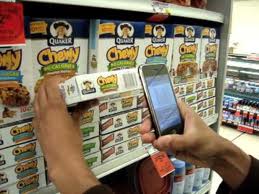
Notice just how many people are using their smart phones when you are out shopping. According to Shopatron’s Retailer eCommerce study, 86% of shoppers consult their smartphones. Over half of them are looking to compare prices, but they also want some extras, like product reviews.

PC magazine recently published a list of the top 10 smart phone apps in 2014. These apps have just about anything you would ever want from a price comparison app. Try some out and see if you don’t end up saving some money this Christmas season.

1. RedLaser – Simply scan the bar code and do your price comparisons.

2. ShopSavy – Input a product and the app will look for it. Handles bar code scanning and it has a SKU finder.

3. BuyVia – Will alert you for different products. Has a bar code scanner. Quotes reviews on products.

4. Smoopa – Scan the bar code and get a yes or no for getting the best price on an item where you are shopping. Earn rebate dollars for use of the app.

5. The Find – Scan the bar code and locate nearby deals and whats available online. Set pricing alerts to notify you of the lowest price point.

6. PriceGrabber – Searches online stores for deals and compares online prices for you. Results from 160 U.S. cities.

7. Consumr – Bar code scanner and shows product reviews. Earn rewards for placing reviews.

8. ScanLife – Online and local price comparisons with product reviews. Allows you to share deals on Facebook. Earn rewards.

9. ShopAdvisor – Price comparisons through bar code scanning and magazine scanning. Set alerts for low price deals.

10. Walmart Savings Catcher – Scan your receipt and compare prices of items against competitors advertised deals. Receive money back on a rewards card.

Filed Under: Christmas Shopping, Saving Money Tagged With: Saving Money

  • « Go to Previous Page
  • Page 1
  • Interim pages omitted …
  • Page 7
  • Page 8
  • Page 9
  • Page 10
  • Page 11
  • Interim pages omitted …
  • Page 20
  • Go to Next Page »

Primary Sidebar

Personal Finance Articles

  • Make Saving A Priority
  • Review Your Home-Insurance Risks
  • Lowest Air Fare? Try August 28
  • Hackers Targeting Bitcoins
  • Keep Your Emergency Fund Intact

Save At Walmart

Search

Personal Finance Education

Investing Education from Morningstar.

As Seen On Intuit

Intuit.com has ranked Coolchecks.net #4 out of 10 of the best blogs to help you save money. We hope to help you become more aware of your own financial situation and strive to improve it.

Featured On Mint.com – July 2014

Mint Interview

Categories

  • Banking
    • Check Writing
    • Checking Accounts
    • Credit Cards
    • EMV Cards
    • Fees
    • Fraud
    • History
    • Student Loans
  • Best Of The Web
  • Budgets
    • Emergency Fund
    • Grocery Shopping
    • Saving Money
    • Spending Habits
  • Business
    • 3D Printing
    • Bankruptcy
    • Business Advertising
    • Business Development
    • Business Plans
    • Corportate Lessons
    • Data Mining
    • Legal Issues
    • Merchants
    • SEC
    • Security
    • Small Business Startups
  • Consumer Alerts
  • Cryptocurrency
  • Cutting Costs
  • Employment
    • best places to work
    • Careers
    • Interviews
    • Job Search
    • Top CEOs
    • Wages
  • Entrepreneurs
    • Attitudes
    • Entrepreneur Interviews
  • Featured
  • Finance
    • Automobiles
    • Credit Ratings
    • Education
    • Financial Planners
    • Foreclosures
    • Homes
    • Insurance
    • Investing
    • Mortgages
    • Personal Finance
    • Renting
    • Term Deposits
    • Travel
    • Work
  • Fraud
  • Government
  • Holidays
    • Christmas
    • Halloween
  • Internet
    • Bitcoin
    • Blogging Tips
    • Blogs, RSS and Podcasting
    • Databases
    • Facebook
    • Influence
    • marketing
    • Twitter
    • Website Reviews
    • WordPress
      • Key Words
  • Investing Basics
    • Hedge Funds
    • Investing
    • Mutual Funds
  • Life
    • Aging
    • Just For Fun
      • Punahou Alumni Corner
    • Millennials
    • Personal Health
  • Money Making Ideas
    • Affiliate Programs
    • Craigslist
    • Ebay
  • Money Management
    • Bankruptcies
    • Building Wealth
    • Child Care Costs
    • Christmas Shopping
    • Credit
      • Free Credit Report
    • Debit Cards
    • Debt
    • Debt Reduction
    • Health Insurance
    • Income
    • Inheritance
    • Interest Rates
    • Loans
    • Mortgages
    • New Years Resolutions
    • Retirement
    • Shopping Tips
    • Tax Strategies
    • Your Stories
  • Retirement
  • Self Improvement
    • Time Management
    • Work Habits
  • Shopping
    • Coupons
    • Online Shopping
  • Social Security
  • Tax Tips
  • Taxes
  • Technology
  • Trade
  • Uncategorized
  • Wealth

Best of Personal Finance Blogs

Best of BuyerZone Business Finance Blog Recipient

Personal Finance Sites We Recommend

Get personal finance advice from the people behind the top money blogs, including Wise Bread, The Simple Dollar, Mint and Nerd Wallet.

Copyright © 2026 ·Metro Pro · Genesis Framework by StudioPress · WordPress · Log in